

”Undefined global”
This usually means the global comes from an addon or gamemode that is not open in VS Code.- Open or add the code that defines it. Add the addon to your multi-root workspace, or add its folder to
workspace.library. This also gives you completion for it. - Mark it as known. Click the warning, press
Ctrl+.and choose Add unknown ’…’ to global table (config). This adds the name todiagnostics.globalsin.gluarc.json.
.gluarc.json
Wrong realm warnings
GLuaLS works out whether code runs on the client, the server or both (shared). It looks at:if CLIENT thenandif SERVER thenblocks- File names starting with
cl_,sv_orsh_ - Standard folders, such as
lua/autorun/clientandlua/autorun/server - How the file is loaded, such as
AddCSLuaFileandinclude - A
---@realm client,---@realm serveror---@realm sharedannotation, which takes priority over everything else
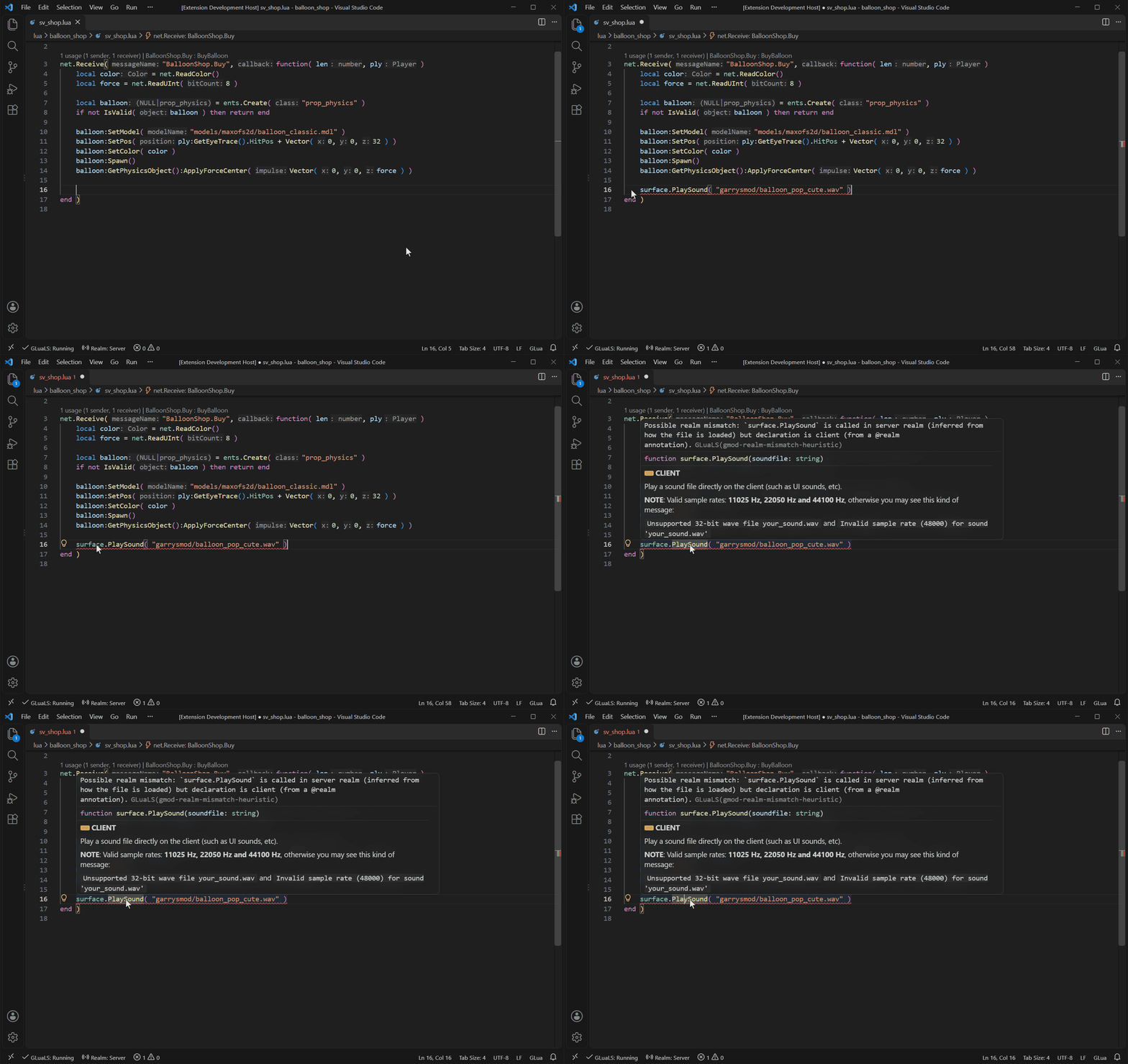
if CLIENT then / if SERVER then, or to rename the file with the right prefix.
When only one function is different, annotate that function:
gmod.defaultRealm in Garry’s Mod settings.
Hide one warning
Click the warning, pressCtrl+. and choose Disable current line diagnostic. This adds a comment:
---@diagnostic disable: code and ---@diagnostic enable: code around it. See @diagnostic.
Turn off a warning everywhere
Click the warning, pressCtrl+. and choose Disable all diagnostics in current project. You can also turn the code off in the settings panel under Diagnostics, or add it to diagnostics.disable yourself:
.gluarc.json
.gluarc.json
Missing completions or “type not found”
- Check that the Garry’s Mod annotations loaded. Run GLuaLS: Update GLuaLS Annotations from the Command Palette (
Ctrl+Shift+P). - Check that the file is in GLua mode, shown in the bottom right of VS Code.
- Check that the code that defines the type is open in VS Code or added as a library.
Slow analysis
- Make sure you did not open the whole
garrysmod/folder. Open each addon or gamemode instead. - Skip large folders you do not work on. Right-click a folder in the Explorer and choose Add Directory to Ignore List.